Seamless Patterns Pack: Hand-Painted Nature Designs
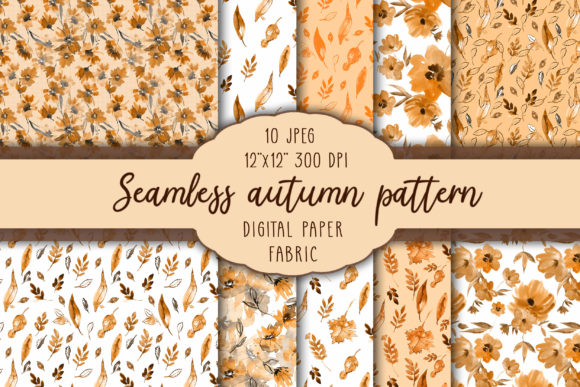
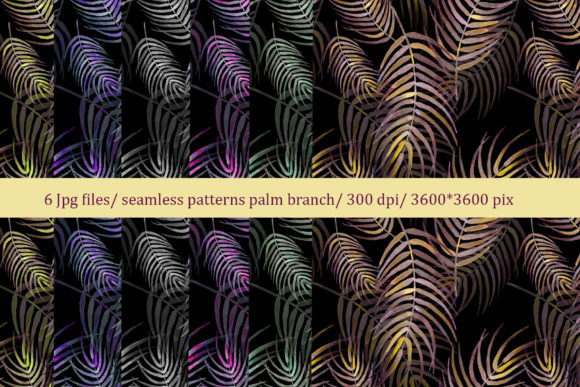
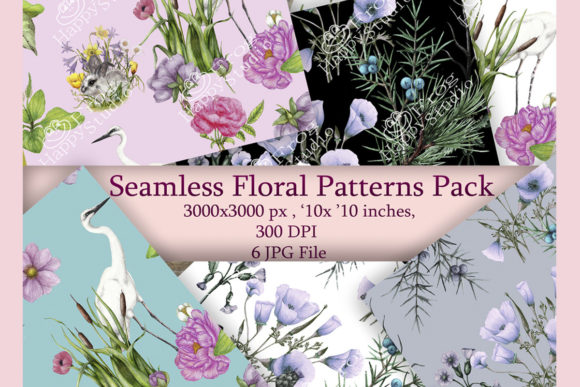
Imagine opening a digital folder and finding six rich, organic, hand-painted nature patterns—each one carefully crafted to repeat flawlessly, scale beautifully, and breathe life into your next project. That’s the Seamless Patterns Pack: a curated set of high-resolution, ready-to-use JPG files, each 3000×3000 pixels at 300 DPI, built on a 10×10 inch base. No clipping, no awkward seams, no pixelation—just authentic texture, botanical warmth, and professional-grade flexibility.
Why These Patterns Stand Out
Not all seamless patterns are created equal. Many rely on digital repetition or algorithmic generation, which can feel flat or mechanical. This pack is different: every motif began as real brushstrokes—watercolor washes, ink linework, delicate gouache layering—then refined digitally to ensure perfect tiling without sacrificing character. You’ll notice subtle variations in leaf veins, soft gradients in petal tones, and gentle imperfections that signal human craft—not AI mimicry.
The result? Patterns that hold up across scales and surfaces: crisp when printed on fabric yardage, elegant when scaled down for a sticker sheet, and immersive as a phone case background. Because they’re delivered as JPGs—not vectors or layered PSDs—they load instantly, open in any design app (from Canva to Adobe Illustrator), and integrate smoothly into workflows whether you’re using Procreate, Affinity Designer, or even PowerPoint for presentation decks.
Creative Uses Across Real Projects
This isn’t just about “pretty backgrounds.” It’s about solving design problems with intention. Here’s how creators like you are putting the Seamless Patterns Pack to work:
- Textile & Product Design: Print one pattern on cotton tote bags for a boutique launch; use another as a lining for handmade journals. A muted fern motif adds quiet sophistication to linen napkins; a bolder wildflower repeat energizes children’s apparel.
- Digital & Print Stationery: Layer a soft moss pattern beneath handwritten calligraphy for wedding invitations—or reverse it (white text on dark green) for contrast-rich postcards. For educators, these patterns elevate printable flashcards or classroom posters without visual fatigue.
- Branding & Marketing Assets: Small business owners embed a subtle leaf repeat into email newsletter headers or social media story templates. It reinforces brand warmth without competing with messaging. One freelance copywriter uses a sage-and-cream pattern as a consistent background across her proposal PDFs—clients remember the calm, cohesive feel.
- Personal & Hobby Projects: Scrapbookers print sections at 50% opacity as underlays for photo collages. Sticker designers cut individual blooms from the tile grid to create custom die-cut sheets. Even notebook publishers use one pattern per journal cover—offering variety while maintaining series cohesion.
Adapting for Your Audience and Platform
Your goals shape how you use these patterns—and that’s where thoughtful adaptation matters. A wellness coach building a printable self-care planner might choose the softest, most airy pattern (think pale eucalyptus sprigs) to support mental calm. But a plant shop launching Instagram Reels needs bold contrast: overlaying product shots on a deep-forest-repeat background ensures readability and brand alignment.
For physical products, always test print a small swatch first—especially on textured paper or fabric. The 300 DPI resolution gives you room to scale, but paper absorbency affects color depth. On screen, consider accessibility: avoid placing light-colored text directly over light-patterned areas unless you add a subtle semi-transparent overlay or shadow.
If you’re designing for multiple platforms (e.g., a single pattern used on packaging, web banners, and merch), stick to one motif per campaign. Consistency builds recognition—your audience begins to associate that specific vine or blossom arrangement with your voice or values. That kind of visual shorthand takes time to build; starting with a strong, versatile foundation like this pack speeds it up meaningfully.
Keeping It Original and Organized
Using pre-made patterns doesn’t mean sacrificing originality—it means working smarter. Think of each file as raw material, not a finished piece. You can recolor a pattern in Photoshop using Hue/Saturation or Selective Color adjustments to match your brand palette. Try desaturating one to 20% for a minimalist monochrome look, or boost saturation slightly for social media thumbnails where vibrancy grabs attention.
To stay organized, rename files meaningfully before importing them into projects: seamless-fern-mint-300dpi.jpg, seamless-wildflower-terracotta-300dpi.jpg. Tag them in your digital asset manager with keywords like “botanical,” “textile,” or “invitation.” If you’re collaborating with others, include a quick style note: “Use only at 70–100% scale for print; safe zone = 0.25” margin.”
Practical Tips for Best Results
Here’s what experienced users do differently:
- Start with purpose: Before choosing a pattern, ask: What emotion or function does this need to support? Calm? Energy? Elegance? Clarity? Let that guide your selection—not just aesthetics.
- Respect scale: A dense floral repeat shines at large sizes (wallpaper, fabric). A fine-lined fern works better at smaller scales (stickers, notebook spines). Preview at actual size whenever possible.
- Test contrast early: Drop your pattern into a mockup with real text or product imagery—not just solid colors. Does the message still land?
- License awareness: These files are for personal and commercial use—no attribution required—but resale as standalone patterns or within template marketplaces isn’t permitted. Use them to enhance your own creations, not replace your creative labor.
Whether you’re prototyping a new greeting card line, refreshing your Etsy banner, designing lesson materials for hybrid learning, or building a mood board for a client pitch—the Seamless Patterns Pack delivers grounded, nature-rooted texture without the hours of manual tiling or licensing uncertainty. It’s not about shortcuts. It’s about giving yourself reliable, beautiful tools so your ideas—not technical hurdles— take center stage.
What will you make first?